Focus
Conversational UX, Accessibility
Industry
HR Tech/AI
Conversational Interface for an
AI-Powered Assessment
A 3-day freelance sprint for Skillvue, an AI-powered HR assessment platform. Redesigning the candidate experience from a structured Q&A into a natural, conversation-driven flow.
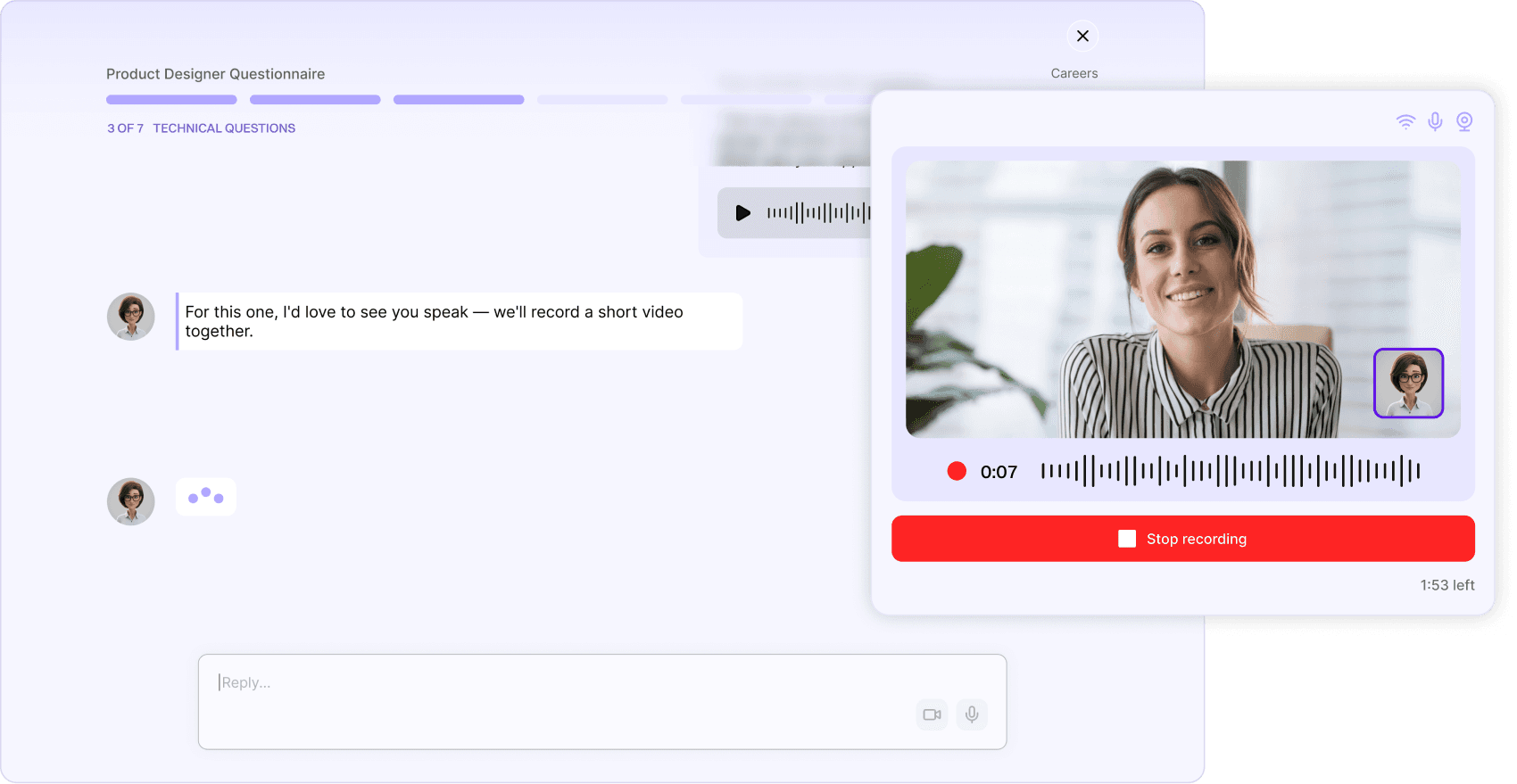
The brief
Skillvue approached me with a specific challenge: their AI interviewer, Clara, created a warm and engaging opening — but the experience quickly became cold and transactional. In three days, I was asked to identify the key friction points and redesign the moments that mattered most, making the assessment feel more like a real conversation without breaking the existing product structure.
The insight
Starting from the live assessment as a candidate, Clara opens with warmth, then fades throughout the interview. What follows feels like a different product entirely.
The real problem
Not a UI problem. A trust and cognitive load problem — in a high-stakes emotional context where the interface works against the candidate's ability to perform.
Design process
Given the 3-day sprint format, I prioritised speed and clarity. I started by completing the live assessment as a candidate myself, then mapped the full emotional journey before opening Figma. No lengthy research phase — just a focused user journey to locate exactly where trust broke down and where the design needed to respond. From there, I moved directly into mid-fidelity wireframes in Figma, translating each pain point into a concrete design decision.
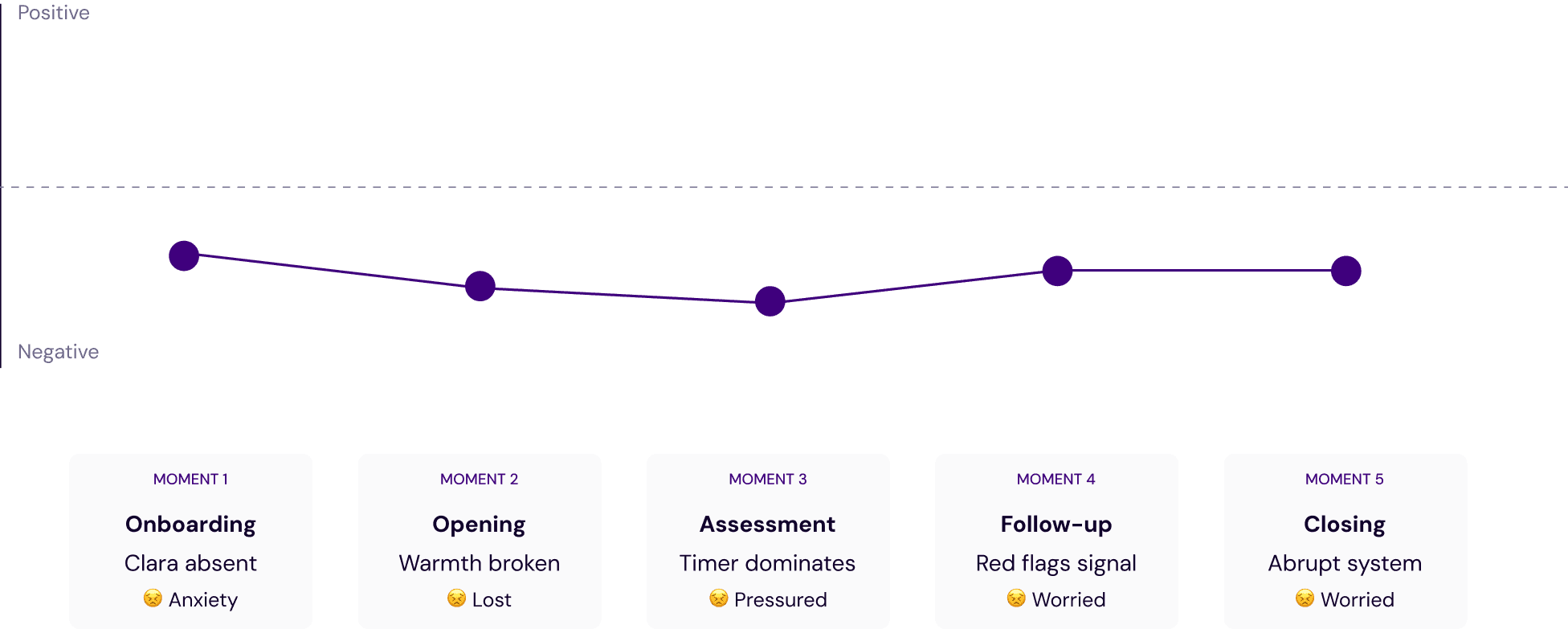
01 User journey
Mapping the candidate's emotional arc across the full assessment — before, during, and after — to locate where anxiety peaks and where trust breaks down.
PAIN POINT 01
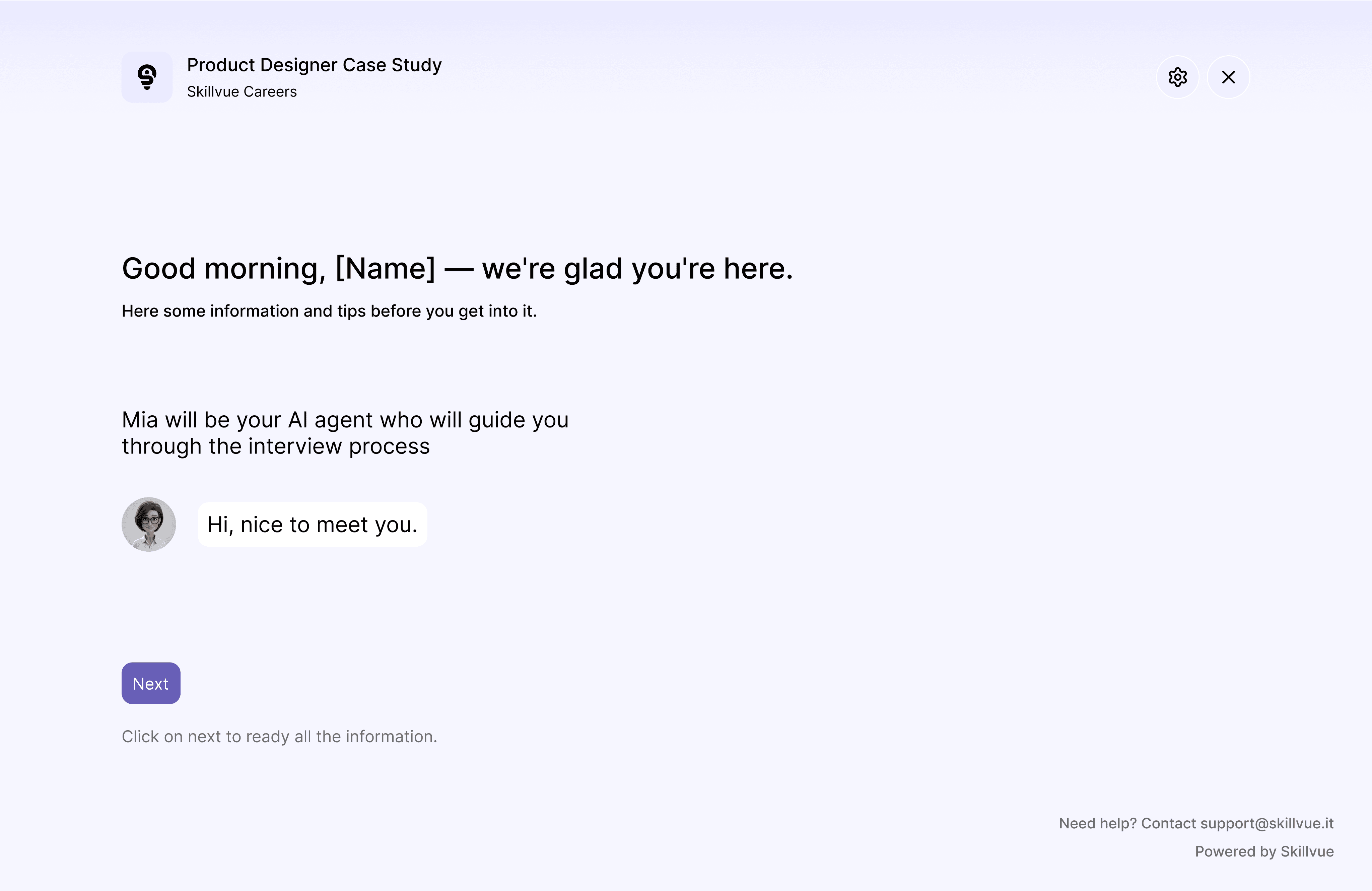
Clara's absence along the assessment
No human warmth before the assessment begins, despite Clara setting the tone in the opening.
What the candidate needs
Clara's presence from the beginning
Clear expectation
Warm and human tone
Design decision
Clara is introduced on the very first screen, before any task begins. A short warm message sets the tone and manages expectations, so the candidate feels accompanied from the start rather than dropped into an assessment.

PAIN POINT 02
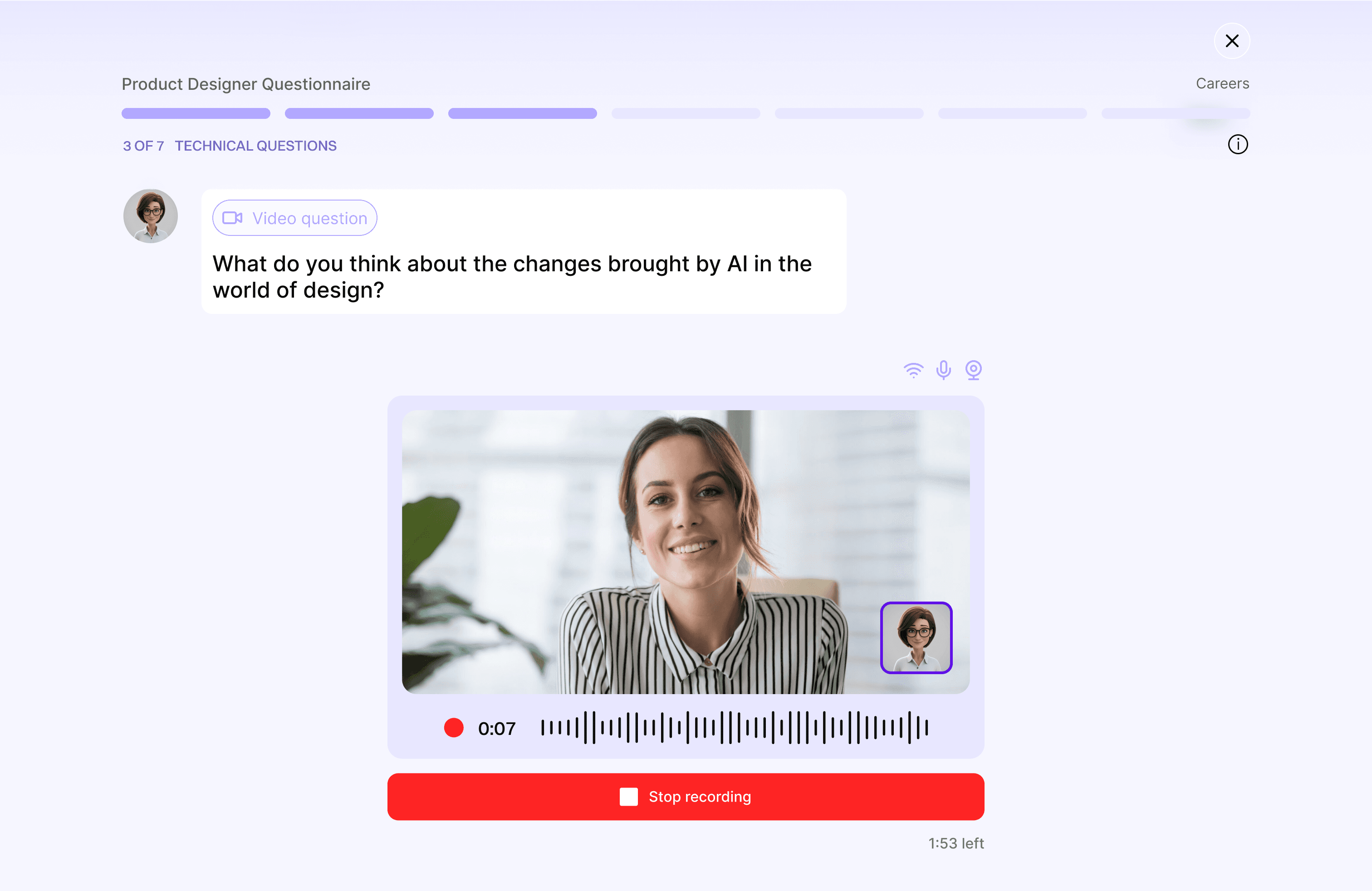
Unannounced format swithces
Abrupt transitions between text, audio, and video create spikes of disorientation.
What the candidate needs
Clear warning before any format change
Time to prepare mentally
Confidence before switching format
Design decision
Clara announces every format transition in advance and explicitly asks for confirmation before activating the camera. The candidate is always one step ahead of the interface, never caught off guard.
PAIN POINT 03
The timer as a threat
A prominent countdown in red splits attention between answering and watching the clock.
What the candidate needs
Clara's presence during the recording
A sense of pace, not pressure
Focus on the answer, not the clock
Design decision
The red countdown is replaced with a subtle progress indicator. The focus shifts from time running out to the candidate's own pace, reducing the feeling of being watched and judged by a clock.

PAIN POINT 04
No closing moment and no recovery option
The session ends abruptly with a system screen, and candidates who freeze have no way to redo.
What the candidate needs
Feels like a dialog
No visual error
Redo option
Design decision
Clara closes the session with a personal goodbye before the system confirmation screen appears. If Q&A is enabled, she opens the floor — giving the candidate agency and a sense of closure at the very end.
If I did it again
With only three days, I moved fast from user journey to wireframes. If I had more time, I would have tested the conversational tone directly with real candidates — especially around the follow-up questions and silence-handling moments, which carry a lot of emotional weight and are hard to get right without live feedback.
View other projects
CBS Copenhagen Business School - Incubator program
Oval Coach: new feature for smarter investing
CBS Copenhagen Business School - Incubator program
Yuiop: real life experience
